
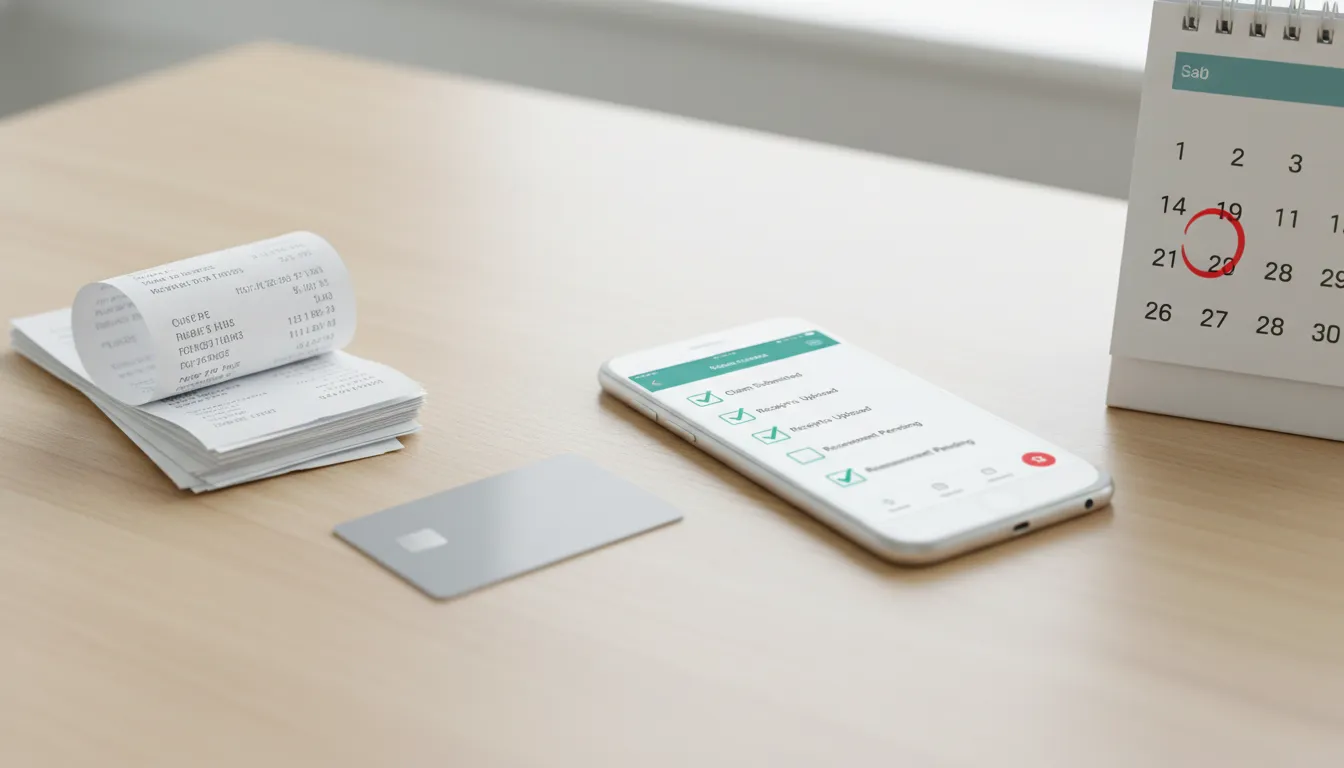
FSA reimbursement can feel simple in theory and frustrating in real life. You pay for an eligible healthcare expense, submit documentation to your plan administrator, and wait for approval. The hard part is knowing which receipt details matter, which deadline applies, and when a reimbursement claim is smarter than retrying a declined card.
Explore Daylii to see how smarter FSA and HSA tools can make healthcare spending easier to understand.
This guide explains the core reimbursement process, the documents to keep, the deadlines to check, and where automated claim submission can reduce manual work. Plan rules vary, so use this as a practical starting point and confirm final requirements with your FSA administrator.
Quick Answer: How FSA Reimbursement Works
FSA reimbursement works by letting you pay for an eligible healthcare expense out of pocket, submit a claim with supporting documentation, and receive repayment from your Flexible Spending Account after your administrator approves it. Most claims require an itemized receipt, and some need an Explanation of Benefits or a letter of medical necessity.
The process is usually straightforward when the expense is clearly eligible and the receipt includes the right details. It becomes harder when the purchase is mixed with non-eligible items, the provider receipt is incomplete, the expense needs medical documentation, or the claim is submitted after the plan deadline.
What Is FSA Reimbursement?
FSA reimbursement is the process of getting paid back from your Flexible Spending Account after you use personal funds for an eligible medical expense. Instead of using an FSA debit card at checkout, you pay with another method and file a claim through your employer, benefits portal, mobile app, or plan administrator.
The administrator reviews the claim against plan rules and supporting documentation. If the claim is approved, reimbursement is typically sent by direct deposit or another payment method your plan supports. If the claim is denied, you may be asked for better documentation, a corrected receipt, or proof that the expense meets plan requirements.
Reimbursement is especially common when a provider does not accept benefit cards, when an online retailer cannot confirm eligibility at checkout, or when a product requires additional substantiation. It is also a backup path when a card transaction fails even though the expense may still qualify.
When Do You Need Reimbursement Instead of an FSA Card?
An FSA card is convenient, but it is not the only way to use FSA funds. You may need reimbursement when the card is declined, the merchant does not accept it, the purchase happens outside an approved checkout system, or the expense needs extra review.
For example, an eligible item can still fail at checkout because the store’s merchant category code is not recognized, the product SKU is not coded correctly, or the cart mixes eligible and ineligible products. If that happens, pay another way, keep the itemized receipt, and ask your plan administrator whether you can submit a claim.
If you are troubleshooting a card problem, see Daylii’s guide to an FSA card declined. If the issue involves online shopping, you may also want to review when you can use your FSA card on Amazon and when reimbursement may be the cleaner path.
FSA Receipt Requirements: What to Keep
The safest rule is simple: keep the itemized receipt for every FSA purchase until your claim is approved and your plan’s document retention window has passed. A card receipt or credit card statement is usually not enough because it often shows only the total amount, not what was purchased or who received the service.
FSAFEDS says healthcare claim documentation generally needs key details such as the patient name, provider or merchant name, date of service, type of service or item, and cost. Your plan may ask for similar details, but the exact rules can vary.
Itemized Receipts
An itemized receipt should show what you bought, where you bought it, when you bought it, and how much it cost. For retail products, the product name or description matters because the administrator needs to confirm eligibility. For provider services, the receipt should describe the service and show the patient or recipient when required.
Do not rely on a payment confirmation by itself. A bank statement can prove you paid, but it does not prove the expense was FSA eligible. If you shop for FSA eligible products, save the full order detail page or receipt instead of only the charge record.
Explanation of Benefits
An Explanation of Benefits, or EOB, is useful when insurance paid part of a healthcare service and you need reimbursement for the remaining patient responsibility. The EOB can show the provider, patient, service date, allowed amount, insurer payment, and amount you owe.
An EOB is especially helpful for doctor visits, dental care, vision care, lab work, and other expenses processed through insurance. If the provider bill and EOB differ, submit the documentation your administrator requests and keep both records together.
Letters of Medical Necessity
Some products or services are considered dual-use because they can have both medical and general wellness uses. In those cases, your plan may require a letter of medical necessity before reimbursement. The letter usually needs to connect the expense to a diagnosed condition or treatment plan.
Daylii’s guide to letter of medical necessity requirements explains when this extra documentation may be needed and what details typically matter.
How to Submit an FSA Reimbursement Claim
Most FSA reimbursement claims follow the same basic pattern. You confirm the expense, collect documents, submit the claim, and track the decision. The specific portal, form, and payment timing depend on your administrator.
Step 1: Confirm the Expense Is Eligible
Start by checking whether the expense is likely eligible under your plan and whether it fits common FSA-eligible items. IRS Publication 502 is a useful general reference for medical and dental expenses, but your FSA administrator has the final say for your account. Some plans may also have employer-specific rules, required documentation, or excluded categories.
Step 2: Gather Documentation
Collect the itemized receipt, EOB if insurance was involved, and any letter of medical necessity if the expense requires one. If the purchase was made online, download or screenshot the detailed order receipt before it becomes hard to find. For a broader recordkeeping habit, see Daylii’s guide on how to save healthcare receipts.
Step 3: Submit Through Your Plan Administrator
Use your plan’s website, mobile app, email process, or paper claim form. Enter the expense amount, service date, provider or merchant, category, and any required notes. Upload clear copies of your documents. If you are submitting a paper form, keep copies and do not mail the only original receipt unless your administrator specifically requires it.
Step 4: Track Approval and Payment
After submission, watch for approval, denial, or a request for more information. Some claims are processed quickly. Others take longer because they need manual review, insurance coordination, or corrected documentation. If your plan supports direct deposit, confirm that your bank details are current before you submit.
FSA Reimbursement Deadlines to Check
Deadlines are one of the easiest ways to lose access to FSA funds. Your plan documents should explain when expenses must be incurred, when claims must be submitted, whether a grace period exists, and whether carryover applies.
| Deadline or Rule | What It Means | What to Check |
|---|---|---|
| Plan year deadline | The period when eligible expenses must be incurred. | Confirm the start and end dates for your FSA plan year. |
| Grace period | Extra time after the plan year to incur eligible expenses, if your plan offers it. | Check whether your employer offers a grace period and how long it lasts. |
| Run-out period | Extra time to submit claims for expenses already incurred during the eligible period. | Check the final claim submission date in your plan documents. |
| Carryover rules | A limited amount of unused funds may roll into the next year if your plan allows it. | Confirm whether carryover is offered and whether it affects grace period rules. |
Plan Year Deadline
The plan year deadline tells you when the expense must happen. If your plan year ends on December 31, an expense incurred after that date usually belongs to the next plan year unless a grace period applies.
Grace Period
A grace period gives you additional time to incur eligible expenses using prior-year funds. Not every plan offers one. If your employer does offer a grace period, confirm the exact date and whether all expense types are included.
Run-Out Period
A run-out period is different from a grace period. It gives you time to submit claims for expenses already incurred during the eligible period. You are not necessarily allowed to incur new expenses during the run-out period.
Carryover Rules
Some plans allow a limited carryover of unused FSA funds into the next plan year. Carryover rules can change, and employers choose whether to offer them. Check your plan documents instead of assuming your prior employer’s rules apply.
How Long Does FSA Reimbursement Take?
FSA reimbursement timing depends on your administrator, payment method, claim complexity, and documentation quality. FSAFEDS notes that many claims are processed within one to two business days after they are received and verified, while paperless reimbursement can take longer because information moves between systems.
Your plan may be faster or slower. A clean claim with a clear itemized receipt can move quickly. A claim with a missing service date, unclear product description, mismatched amount, or missing EOB may be delayed until you submit corrected documentation.
Common Reasons FSA Reimbursement Claims Get Denied
A denial does not always mean the expense is impossible to reimburse. Sometimes it means the administrator needs more proof or a better match between the claim and the documentation.
- The receipt is not itemized. The administrator cannot see what was purchased.
- The date is missing or outside the eligible period. The expense may not fit the plan year, grace period, or run-out rules.
- The expense is not clearly eligible. Some items need additional proof or are not covered by your plan.
- A letter of medical necessity is missing. Dual-use items may require provider documentation.
- The claim amount does not match the receipt. Taxes, discounts, insurance payments, or mixed carts can create confusion.
- The wrong account is used. FSA and HSA rules overlap in some areas, but they are not identical.
If your claim is denied, read the denial reason before resubmitting. Upload the specific missing document instead of sending the same file again.
Where Auto-Submission Fits Into the Process
Manual reimbursement puts the burden on you. You have to recognize eligible expenses, save the right receipt, remember the deadline, find the administrator portal, upload the file, and track the claim. That is why many people leave money unused even when they had eligible expenses.
Auto-submission changes the workflow by using technology to identify documentation, read receipts, check likely eligibility, and prepare or submit claims when supported by the user’s plan and connected administrator. The goal is not to ignore plan rules. The goal is to make it easier to follow them.
This is where reimbursement tools and reimbursement apps can help, especially for people who already have eligible expenses but do not want to manage every claim manually.
How Daylii Makes FSA Reimbursement Simpler
Daylii is building an AI-native FSA and HSA ecosystem designed to reduce the confusion around eligible spending, receipt storage, claim submission, and reimbursement tracking. DayliiReimburse focuses on the manual parts of the process that slow people down: receipt parsing, eligibility verification, claim preparation, submission support, and tracking.
That matters because the reimbursement problem is not only about rules. It is about friction. People lose track of receipts, forget deadlines, avoid portals, or assume a card decline means the expense cannot be reimbursed. A smarter system can keep the documentation close to the purchase, surface the next step, and reduce the chance that eligible dollars sit unused.
Learn more about Daylii if you want a simpler way to manage FSA and HSA spending before reimbursement becomes another unfinished task.
FSA Reimbursement Checklist
Use this checklist before you submit a claim:
- Confirm the expense was incurred during the eligible plan period.
- Check whether the expense is generally eligible and whether your plan has special rules.
- Save the itemized receipt with merchant, date, item or service, and amount.
- Add the EOB if insurance paid part of the expense.
- Add a letter of medical necessity if the item or service requires one.
- Submit through your administrator’s required portal, app, email, or form.
- Track the claim until it is approved, denied, or returned for more information.
- Keep records after approval in case your plan requests substantiation later.
FAQ
Can you reimburse yourself from an FSA?
Yes. If you pay for an eligible expense out of pocket, you can usually submit a reimbursement claim through your FSA administrator. You will need documentation that matches your plan’s requirements.
What receipt do I need for FSA reimbursement?
You usually need an itemized receipt that shows the provider or merchant, date of service or purchase, description of the service or product, and cost. Some claims also need the patient name, an EOB, or a letter of medical necessity.
Can I submit an FSA reimbursement after the plan year ends?
Maybe. Many plans offer a run-out period for submitting claims tied to expenses incurred during the eligible period. Some plans also offer a grace period or carryover. Check your plan documents for exact dates.
How long does FSA reimbursement take?
Timing varies by administrator. Clean digital claims may be processed quickly, while claims with missing documentation, insurance coordination, or manual review can take longer.
What happens if my FSA reimbursement is denied?
Review the denial reason and gather the missing or corrected documentation. If the expense is eligible but the receipt was incomplete, you may be able to resubmit with a better receipt, EOB, or provider letter.
FSA reimbursement should not feel like a paperwork maze. When you know which documents to keep, which deadlines to check, and when automation can help, you have a better chance of using the benefit dollars already set aside for your healthcare needs.
Explore Daylii to see how AI-powered FSA and HSA tools can help make everyday healthcare spending clearer and less manual.